


NewsBreak: Local News & Alerts review
 Analysis by GetAllApps
When I use NewsBreak, the main question is not whether it can show me headlines; it is whether the mix of local coverage and alerts fits the way I want to follow my area. It is a free news and magazines app from Particle Media Inc., with a focus on nearby stories. I find that useful when I want a quick sense of what is happening close to home, but the experience works best when I treat alerts as prompts to read more, not as a complete picture of an event.
Finding the right local signal
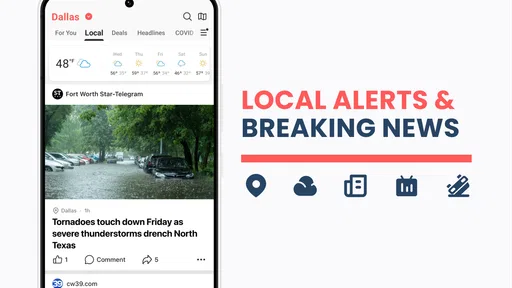
NewsBreak is aimed at readers who want news tied to their neighborhood as well as broader headlines. That local emphasis is its clearest difference from a general news reader, where national stories can easily crowd out nearby developments. If I am checking what might affect my commute, a local event, or the area around a family member, having local coverage in the same app can save a separate search.
The trade-off is that “local” is only helpful when the stories match the places and topics I care about. A headline can sound relevant while covering a neighboring area or a development that has little practical effect on my day. I recommend opening the story and checking its location and context before forwarding it or making plans based on a notification. That small pause matters especially with fast-moving incidents, when an early headline may not explain what has changed.
The app’s Teen content rating is worth noting for households deciding whether it is suitable for a younger reader. It remains a news product, so the subjects and tone can vary with current events. I would not assume that a general audience rating makes every article appropriate for every age or situation; parents may prefer to review the content together and decide how notifications should be handled.
When alerts help—and when they get in the way
Alerts are useful when I want a timely nudge about local headlines without repeatedly opening a news app. They can also become noise if I leave every topic or location equally prominent. My practical approach is to begin with a narrow set of interests and adjust only after I see what arrives. If an alert is not useful, changing the app’s notification settings or the device’s notification controls is more effective than letting a growing pile of interruptions make me ignore all of them.
A realistic use case is checking the phone before leaving home. A neighborhood headline might be worth a closer look if it affects a route or a local event, while a general breaking-news alert may not need immediate attention. I would read the article before changing plans, then compare important details with another reliable source when the consequences are significant. This keeps the alert convenient without treating it as a verified instruction.
There is also a useful distinction between wanting awareness and wanting depth. NewsBreak can help me notice a local story, but a short alert is not a substitute for reading the article, understanding its source, and looking for updates. Readers who mainly want carefully curated national reporting, long-form journalism, or a single publication’s editorial voice may be better served by a newspaper app or a broad news aggregator built around those priorities.
Setup checks that prevent avoidable frustration
If the first session feels off, I would check the basics before deciding the app is failing. Confirm that the device has a working connection, that the app is allowed to send notifications if I want alerts, and that the device itself is not suppressing them through a quiet or focus setting. These are general checks rather than a promise that every alert will arrive instantly; network conditions and device settings can affect what appears and when.
Location relevance is another point to review. If the stories seem too broad or centered somewhere unexpected, check which area the app is using and whether the topics being followed still make sense. I would avoid enabling every available alert simply to force more local coverage: more notifications do not necessarily mean more useful information. A smaller, better-chosen stream is easier to assess and less likely to train me to dismiss the app without reading.
NewsBreak has a 4.6 average from around 641,000 ratings, and it has been installed over 50 million times. Those figures suggest that it has found a broad audience, but they do not guarantee that its coverage will be equally useful in every neighborhood. Local news can vary in relevance from one place to another, so I would judge it by whether the stories I actually see are timely, understandable, and connected to my area—not by popularity alone.
Recovering a useful reading routine
When the feed feels cluttered, I find it more useful to change how I browse than to keep scrolling. I start with the story that prompted me to open the app, read beyond the headline, and then decide whether I want more coverage of that subject. This creates a simple loop: use an alert to discover a story, use the article to understand it, and use later updates only when the subject still matters.
If an alert appears but the article does not load, I would first check the connection and try again after a short pause. If the app itself seems stuck, closing and reopening it is a sensible first step; checking for an available app update is another. The current version is 26.43.1, and the stated minimum operating system is version 8.0. On a device that meets that requirement, updating or restarting can resolve ordinary software hiccups, though it cannot fix a weak connection or a temporary service problem.
For a story that matters, I would not rely on a notification as my only record of what happened. Open the full article, note the source and the time-sensitive details, and revisit the story later if the situation is developing. This is especially practical for local closures, public events, or incidents: an alert can tell me where to look, but the article and subsequent reporting are what help me decide whether the information is still current.
One trade-off to keep in mind is the business model. The app is free to download, while in-app purchases are listed from ten cents to just under sixty dollars per item. I would check the purchase screen carefully before confirming anything, particularly if another person uses the device. A free starting point is convenient, but it is still sensible to understand what a purchase prompt covers rather than assuming every part of the experience is included at no cost.
When the problem may be outside the app
Not every missing headline or delayed notification points to a fault in NewsBreak. A device with limited connectivity, background activity restrictions, or notification controls set to silence an app can change what reaches the screen. If the feed is current when opened but alerts have been quiet, the device’s notification settings are a sensible place to look. If both the feed and other online services are struggling, the connection is a more likely place to start than repeatedly reinstalling the app.
Likewise, a story that seems absent may not be a loading problem. Local coverage depends on what is being reported and how relevant it is to the area selected, so I would check the location and browse the available coverage before concluding that the app has missed a particular event. For urgent safety information, I would use the appropriate official local channel as well; a news app is useful for awareness, but it should not be my sole source for instructions that need to be authoritative and immediate.
NewsBreak has been available since June 17, 2016, and its current version is 26.43.1. I mention that only as context for readers who prefer an established app rather than a brand-new service. What matters more in daily use is whether its local stories are relevant to the places they care about and whether alerts fit their routine. I would test it over several ordinary days, then adjust the settings based on what actually proves useful.
Who I would recommend it to
I would recommend NewsBreak to someone who wants a convenient way to keep an eye on neighborhood headlines and is willing to tune the experience instead of accepting every alert. It is particularly handy for people who move between a few local areas or want a quick discovery layer before reading more deeply. The app’s 150,000 reviews reflect substantial reader engagement, but my advice is still to assess the local coverage personally: usefulness depends on the stories that matter where you live.
I would skip it, or pair it with another source, if I wanted a tightly edited publication, minimal notifications with no setup, or authoritative updates for emergencies. A newspaper app may be a better choice for a consistent newsroom voice, while an official local service is more appropriate for direct instructions. For broad national coverage, a general aggregator may offer a better fit if neighborhood reporting is not a priority.
Overall, I see NewsBreak as a practical local-news companion rather than a complete news solution. Its strongest value is helping me notice nearby stories without having to search for each one from scratch. The key is to keep the alert stream selective, check the article behind a headline, and use another source when accuracy or immediate action matters. If that balance sounds right to you, the free download makes it easy to try; just keep an eye on notification preferences and any optional purchase prompt as you settle into a routine.
Pros and cons
Pros
- Personalized feeds make it easy to follow topics that matter to you.
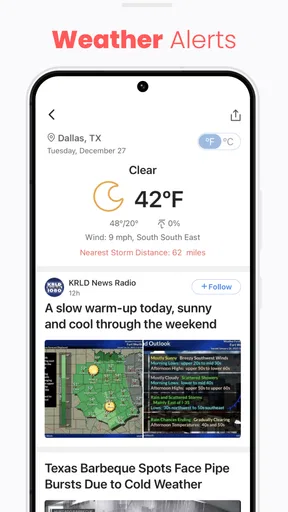
- Local weather updates help you keep track of conditions nearby.
- Breaking news alerts can keep you informed as stories develop.
- The app offers coverage from a wide range of publishers.
- You can browse local stories without a paid subscription.
Cons
- Frequent notifications may feel distracting.
- The amount of content can make important stories harder to spot.
- Personalization may limit exposure to different viewpoints.
- Some articles may open on publisher websites with extra ads.
- News availability and quality can vary by location.


